
Download SSuite Office Gif Animator – Lightweight Animated GIF Creator
Overview
SSuite Office Gif Animator is a compact, portable application designed for users who need to create animated GIFs directly from static images stored on their devices. The app focuses on simplicity and speed, offering a streamlined workflow for generating animations without the complexity of larger multimedia tools. It supports common image formats such as JPG, BMP, and PNG, allowing users to work with a wide range of source files without prior conversion. This makes it particularly useful for content creators, educators, and casual users who want to add motion to their visuals quickly.
The application is ideal for scenarios such as creating instructional animations, simple memes, social media content, or visual summaries for presentations. Its lightweight nature and lack of installation requirements mean it can be used on any computer without leaving behind temporary files or registry entries. The developer, SSuite, has positioned this tool as a no-frills utility that prioritizes accessibility and immediate usability. Although the developer did not provide additional technical details, the app’s release date of April 3, 2017, indicates a long-standing presence in the niche category of GIF creation tools.
Within the broader mobile and desktop app ecosystem, SSuite Office Gif Animator fills a specific gap: a minimal, efficient solution for users who don’t want to install heavy software or navigate complex interfaces. Its focus on portability and speed makes it a valuable addition for users seeking a reliable, on-demand animation tool.
Key Features & Functionality
- Lightweight and Portable Design: At just over five megabytes, the application is extremely compact. It does not require installation—users can unzip the file and launch it immediately, making it ideal for temporary use or shared devices.
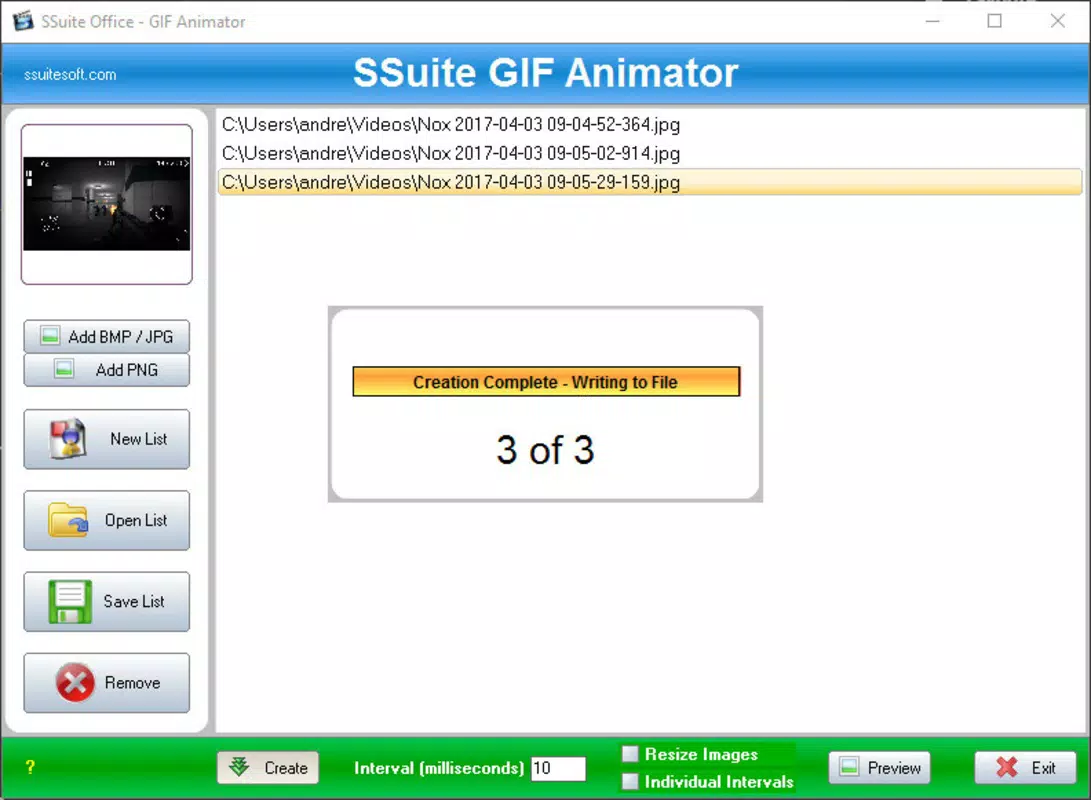
- Simple GIF Creation Workflow: Users can create animated GIFs by selecting a sequence of images, setting the transition interval in milliseconds, and generating the animation in seconds. This streamlined process reduces the learning curve and supports rapid prototyping.
- Multi-Format Image Support: The app accepts JPG, BMP, and PNG files, allowing users to work with various image types without needing to convert them. This compatibility enhances flexibility across different workflows.
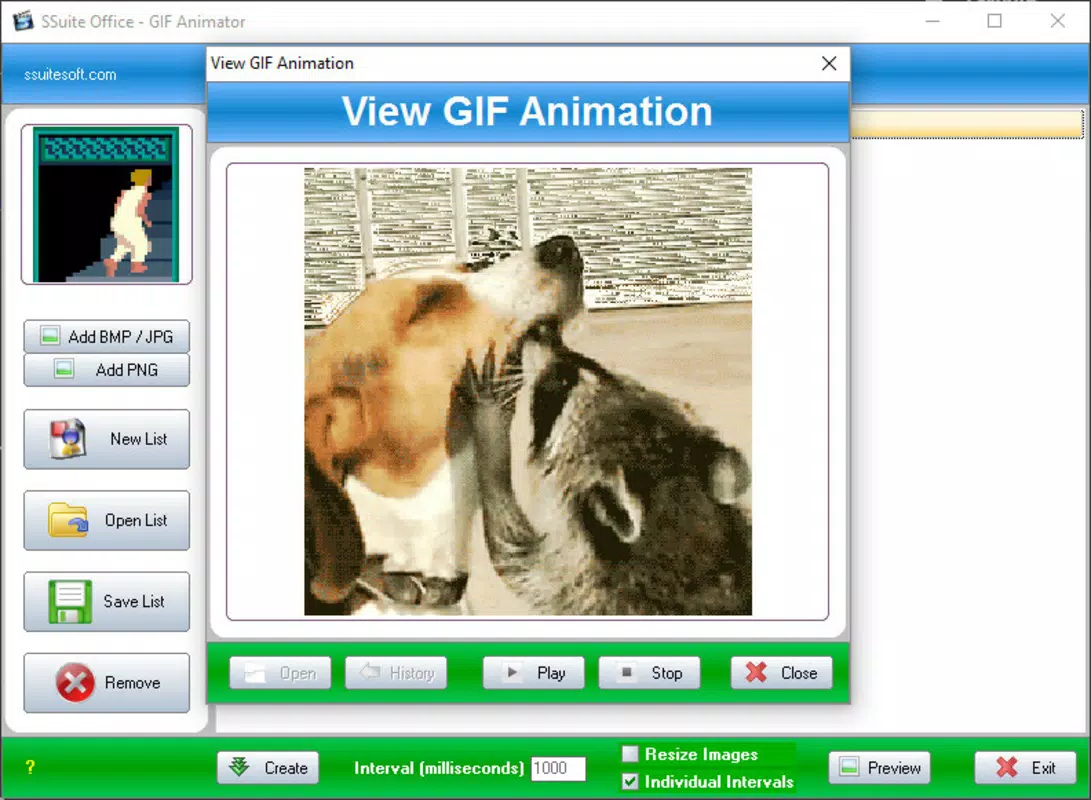
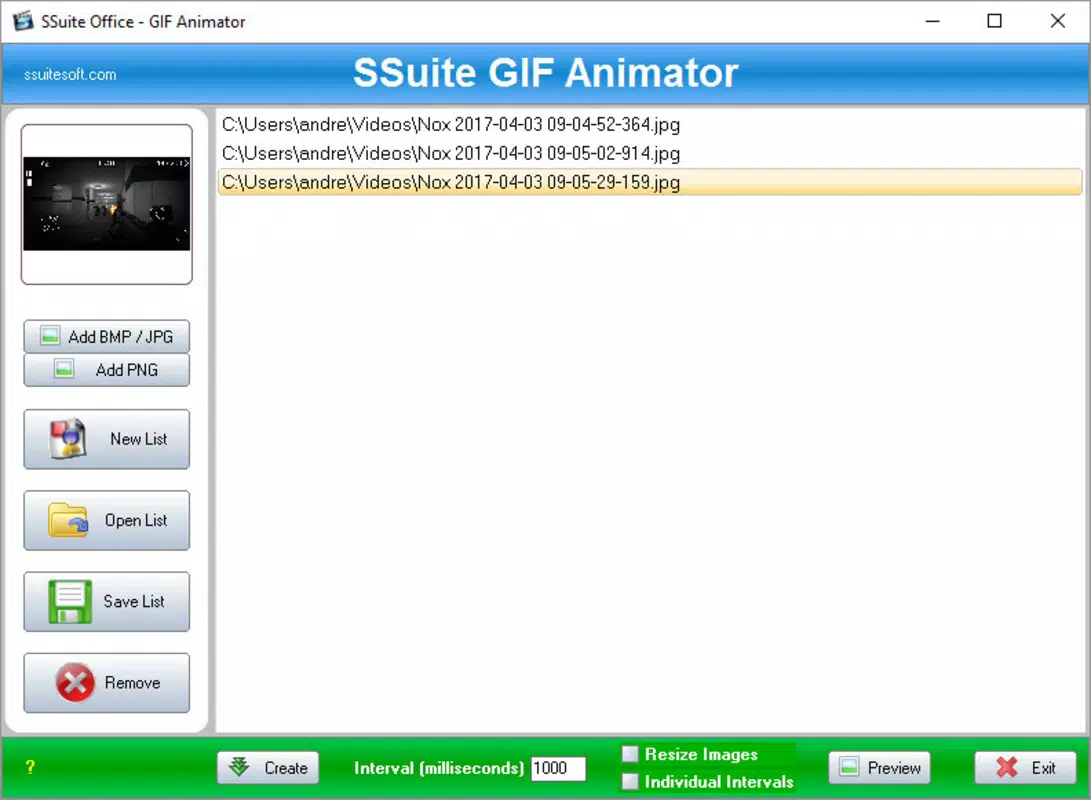
- Intuitive User Interface: The layout is clean and straightforward, with clearly labeled options and minimal clutter. Even users with limited technical experience can navigate the interface and produce animations efficiently.
- No Installation Required: The absence of an installation process ensures the tool remains accessible across multiple systems, especially beneficial for users working in restricted environments or on public computers.
For example, a teacher might use it to create a step-by-step visual guide by animating a series of diagrams. A social media manager could quickly turn a set of promotional images into an engaging animated post. The real-world utility lies in its ability to deliver fast, functional results with minimal effort.
Interface, UX & Performance
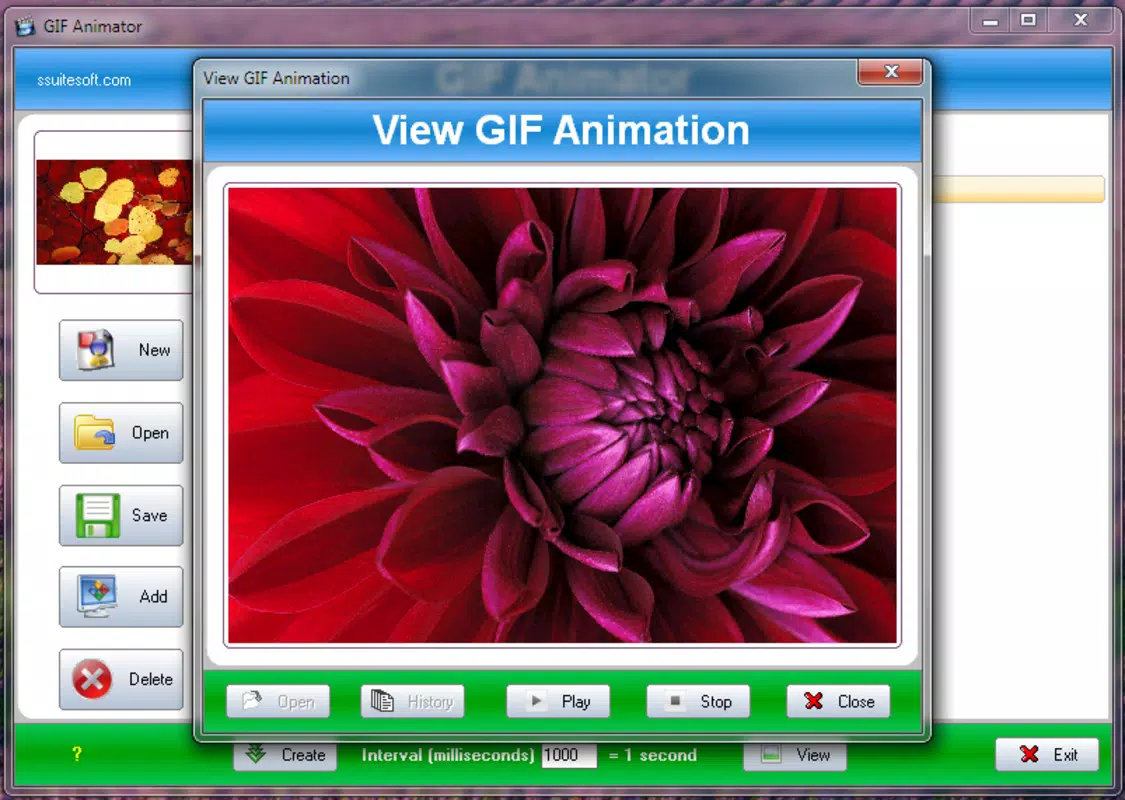
The user interface of SSuite Office Gif Animator is designed with clarity and functionality in mind. The layout features a minimalistic design, with image selection tools, timing controls, and preview windows arranged logically. Navigation is straightforward, relying on standard file dialogs and intuitive button placements. Users can add images in sequence, adjust the delay between frames, and preview the animation in real time before export.
Although the developer did not list formal performance metrics, the app’s lightweight nature suggests it runs efficiently on a variety of devices, including older or low-spec machines. Responsiveness appears to be consistent, with minimal lag during image loading and animation rendering. Stability is likely maintained due to the absence of background processes and external dependencies.
Performance may vary slightly depending on the number and size of images used, but the app’s design prioritizes speed and reliability over advanced features. The lack of installation also contributes to consistent behavior across different systems. Overall, the user experience is smooth and focused, aligning with the tool’s core purpose of quick, accessible GIF creation.
Platform Compatibility & Technical Requirements
SSuite Office Gif Animator is designed for desktop environments, though the specific platform details were not fully disclosed. The file size is listed as just over five megabytes, indicating a compact footprint suitable for quick downloads and storage. The software was released on April 3, 2017, suggesting it has been in use for several years.
The developer did not specify minimum OS requirements or compatibility with modern operating systems. However, the portable nature of the app suggests it may run on a wide range of Windows versions, including older ones. Users should verify compatibility with their system before use. No additional permissions or hardware requirements were mentioned.
Pros and Cons
Pros
- Extremely lightweight and portable—no installation required
- Supports multiple image formats: JPG, BMP, PNG
- Simple, intuitive interface suitable for beginners
- Fast GIF creation with real-time preview
- Minimal system resource usage
Cons
- Developer did not provide detailed technical specifications
- Compatibility with current operating systems was not confirmed
- Limited to desktop use; no mobile version available
- Basic feature set—no advanced animation controls or effects
- Outdated release date may raise concerns about long-term support
FAQ
Is SSuite Office Gif Animator free to download?
Yes, the application is available for free download. It does not require payment or subscription to use.
Can I use this app on my mobile device?
The app is designed for desktop use. There is no official mobile version available. It is not compatible with Android or iOS platforms.
Do I need to install the software?
No. SSuite Office Gif Animator is portable. Simply unzip the file and run the executable to start using it immediately.
What image formats does the app support?
The app supports JPG, BMP, and PNG image formats. These are widely used and commonly available on most systems.
Is the app safe to use?
Yes, the app is considered secure. It does not require administrator privileges and does not install background processes. Users should download it from trusted sources to ensure authenticity.
Final Thoughts
SSuite Office Gif Animator stands out as a focused, no-nonsense tool for creating animated GIFs from image files. Its lightweight design, ease of use, and portability make it a practical choice for users who need a quick, reliable solution without the overhead of installation or complex features. While it lacks advanced animation tools and modern interface polish, it delivers exactly what it promises: fast, simple GIF creation.
It is best suited for educators, content creators, and casual users who value efficiency and minimalism. For those seeking a lightweight, secure, and immediate way to generate animated content, this app remains a viable option despite its age.
Download SSuite Office Gif Animator now


